
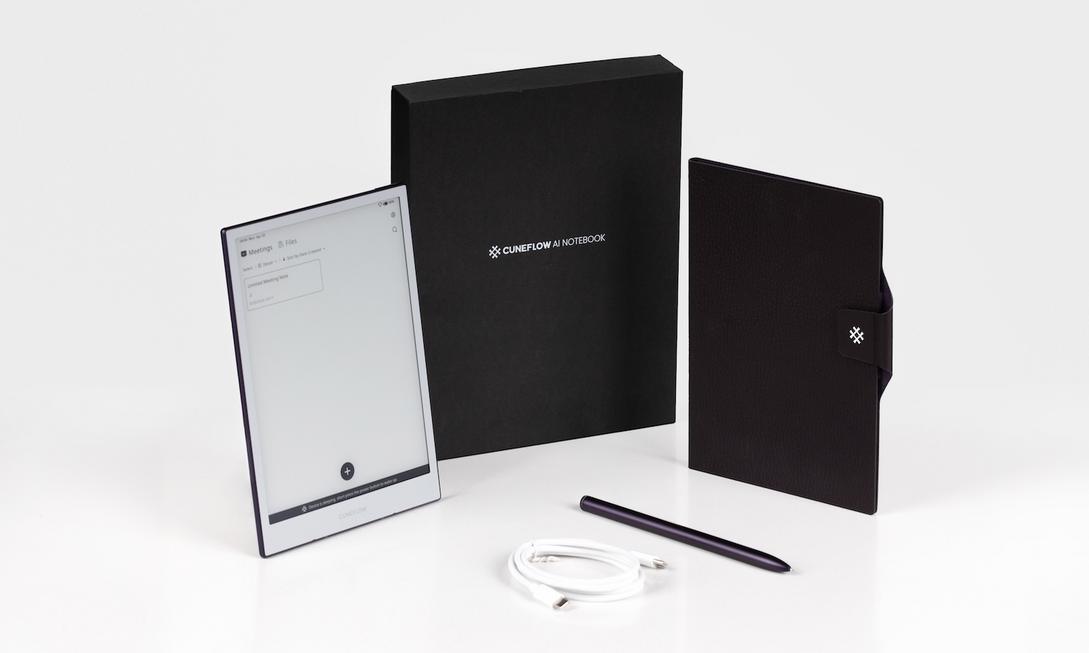
Don’t you often frantically jot down key points during meetings, only to come home staring at a pile of scribbled notes and painfully re-listen to audio recordings to compile transcripts? As a working professional with back-to-back meetings every day, aren’t you fed up with spending another two hours organizing notes after the meeting, fearing to miss any to-do items? Actually, it’s time to upgrade your notebook. Today, I want to share this eye-catching Cuneflow AI E-Ink Notebook with everyone. It perfectly combines the familiar “handwriting feel” with the powerful “AI voice transcription,” turning meeting records into an elegant experience.

Handwriting x Voice Dual Power, Recreating the Most Authentic Meeting Scene
Most AI recording pens or notebooks on the market force you to choose one or the other: either type furiously with your head down, missing eye contact with speakers; or focus on the meeting, only to dread the audio files later at home. Cuneflow’s smart design lets you record ideas using the most primitive and thinking-enhancing “handwriting” method, while its built-in high-sensitivity microphone captures every word of the meeting without omission.
Its operation is incredibly intuitive: During the meeting, simply doodle, draw arrows, and circle key points just like on paper. The E-Ink electronic ink screen’s paper-like writing friction instantly immerses you in a “flow state.” At the same time, the AI works quietly in the background, precisely matching your handwritten content with the live dialogue.

Not Just Recording, But Your “Second Brain”
What amazes me most about Cuneflow is its Library (Knowledge Base) feature. You can import relevant documents, reports, or Google Drive files into the device before the meeting. This means that when the meeting starts, the AI doesn’t record blindly but understands the conversation with full “context.”
Imagine, after the meeting ends, it doesn’t output a mess of garbled text but automatically organizes for you:
- Clear, Structured Meeting Summary: Automatically distinguishes discussion agendas and decision points.
- Precise Action Items: Automatically extracts who should do what, eliminating unclear responsibilities.
- Semantic Association Analysis: Integrates your pre-imported data to make the summary more aligned with your work content.
Additionally, it supports seamless synchronization with Notion, Slack, Microsoft 365, and Google Workspace. No more staying up late manually keying paper notes into systems—Cuneflow handles all the administrative chores in the background.
Privacy and Security: The Baseline for Smart People
Everyone is concerned about privacy with any recording device. Cuneflow is highly transparent in this regard: data is encrypted throughout, and they explicitly promise not to use user data to train AI models. For enterprise teams, they also plan a “self-hosted” option in the future, which is undoubtedly reassuring for industries requiring high confidentiality controls.

Summary: Leave Time for Thinking, Entrust Records to AI
Cuneflow is definitely not a jack-of-all-trades general-purpose tablet; it’s designed for those who “live in meetings daily, value thinking quality, and hate tedious administrative tasks.” Whether executives, consultants, journalists, or professionals needing extensive consultation records, it can save you massive amounts of time.
If you also crave that light feeling of “after the meeting, key points and to-dos are already organized for you,” Cuneflow is worth joining the Early Bird waitlist. After all, the value of work lies in your judgment and decisions, not endless copying, right?
