
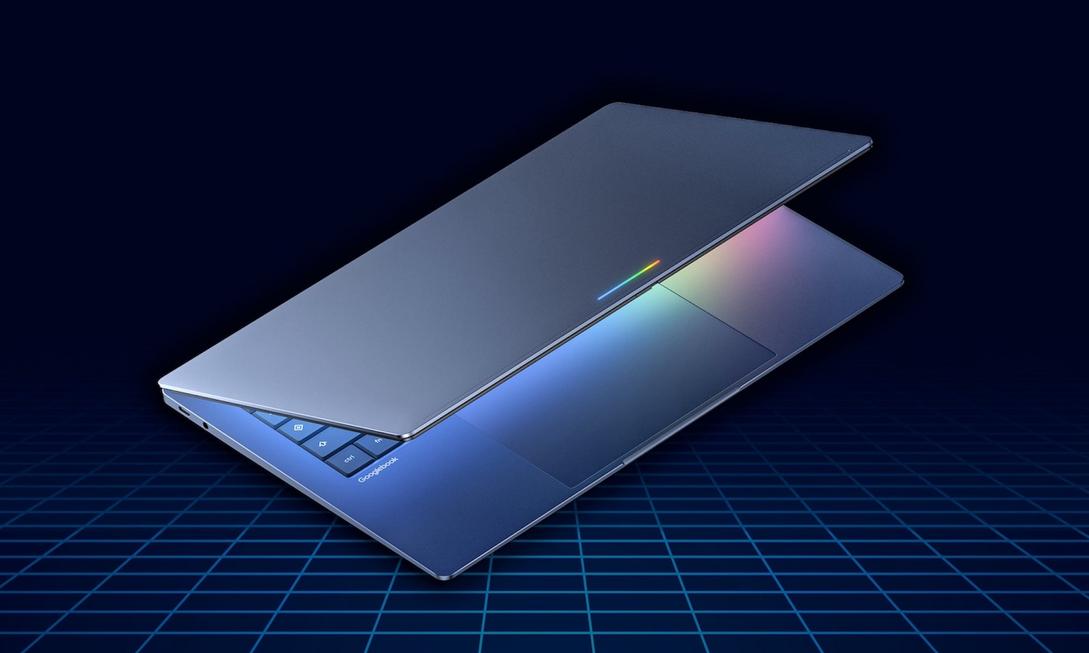
Want to hole up in a coffee shop over the weekend to finish next week’s report, but your laptop freezes when you open it, wasting the entire afternoon. This is probably the most painful realization for many when looking for a lightweight laptop: should you choose a Chromebook Plus that’s ready to use now and affordable, or patiently wait for Google’s upcoming AI-native laptop, Googlebook?
If you’re hesitating between these two, today’s comparison is written for you.

Price and Availability: Ready Now vs Future Vision
Let’s talk about the most realistic part first: money.
The Chromebook Plus series is priced between $349 and $699, and it’s a physical product you can walk into a store and take home right now. For example, the Lenovo Chromebook Plus 14 can even be under $500, yet it still features the MediaTek Kompanio Ultra chip, supporting on-device AI functions.
Googlebook doesn’t have an official price yet, but given Google’s emphasis on “top-tier hardware and materials,” it’s widely expected to be over $1,000. That’s almost twice the starting price of Chromebook Plus.
More importantly, time. Order a Chromebook Plus today, and you can boot it up and work this afternoon; Googlebook is expected to launch in fall 2026, and currently, it’s only a concept reveal, with no real machine tests or confirmed pricing.

AI Feature Depth: Practical Helpers vs OS-Level Integration
Both laptops have AI, but the “way AI exists” is completely different.
Chromebook Plus’s AI is tool-based, like “Help me read” reading assistance, real-time translation, Quick Insert shortcuts. These features are available right out of the box and substantially improve your document productivity.
Googlebook takes a completely different route. It features Magic Pointer developed by the Google DeepMind team—your mouse cursor becomes an AI assistant that understands Gemini. Hover over an email date, and the system suggests scheduling a meeting; circle a living room photo and a sofa, and it previews the sofa in your space.
There’s also a feature called Create Your Widget: just give Gemini an instruction, and it automatically pulls from your Gmail, calendar, and web data to generate a personalized dashboard on your desktop. Planning a trip to Berlin? Flights, hotels, restaurant reservations, and countdown timer, all in one real-time updating Widget.
This isn’t “a laptop with AI in it”; this is “the entire system built on AI”.

Android Ecosystem Integration: A Bit Clunky vs Native Seamless
Anyone who’s used a Chromebook probably knows that running Android apps is somewhat “half-baked”—not all apps work well, and sometimes it relies on emulation.
Googlebook is different from the ground up. It partially adopts Android technical architecture, meaning Android apps can run natively instead of through an emulator.
The most anticipated is Quick Access: files from your phone appear directly in the laptop’s file browser. No cloud upload, no cables—photos and documents from your phone are accessible right away on the laptop.
For users with phones full of Android apps and accustomed to multi-device sync, this is true ecosystem integration.

Summary: How Should You Choose Now?
Simply put, the choice logic is straightforward:
- Choose Chromebook Plus if: your laptop is about to give out, budget under $700, daily use is Google Docs plus dozens of Chrome tabs. It’s available now, with clear value for money, the most rational choice for students, teachers, and light office workers.
- Wait for Googlebook if: you’re a heavy Android user, have a more ample budget, willing to wait until fall, and want a laptop truly designed with AI at its core.
If you need a laptop right now, Chromebook Plus is still the safest bet. But if your phone is inseparable from Android and you’re excited about how AI changes workflows, waiting for real-world reviews of Googlebook after launch will be a smarter investment.
Laptops aren’t better the more expensive they are; they’re better the more they “fit your needs.” Figure out what you need today, and the answer is right in front of you—pick a laptop that suits you now and save time for what really matters.
