
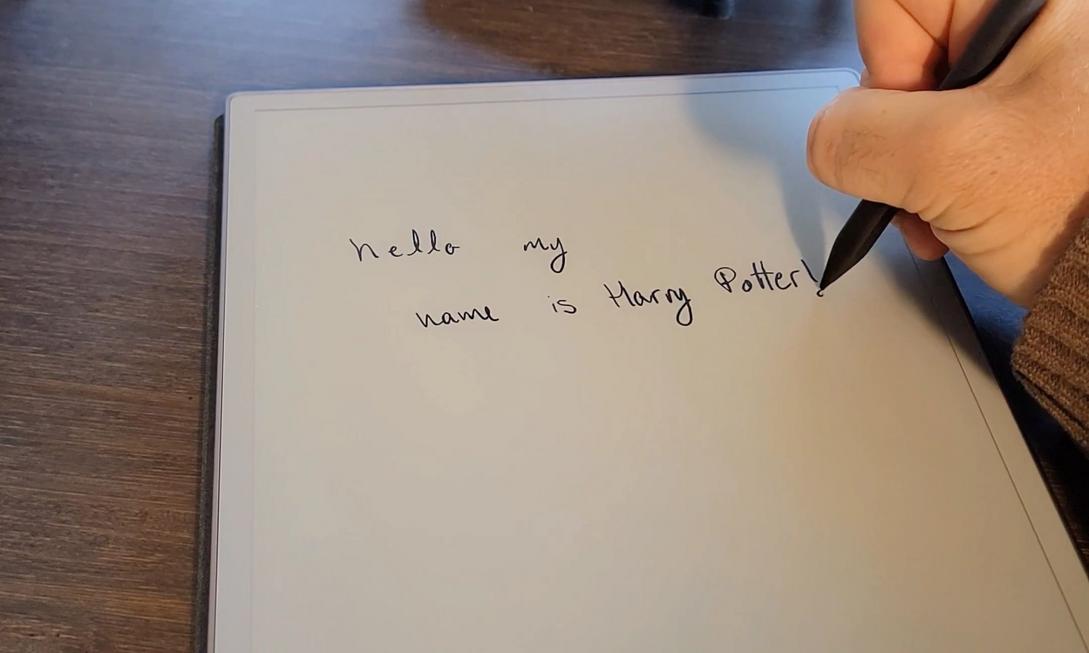
Are you also tired of your phone unexpectedly popping up messages to interrupt your thoughts when you want to focus on taking notes or writing? Or after a meeting, staring at the densely packed handwritten notes in your notebook, but feeling like you’re solving a puzzle? We’re all searching for a space that lets our thoughts settle while intelligently organizing inspirations, and reMarkable Paper Pro is precisely that perfect medium that balances “ultimate focus” with “AI productivity.”
The Feel of Real Paper, an Interference-Free Universe of Focus
reMarkable Paper Pro’s most impressive feature is how it fully recreates the friction of writing on real paper. It features a large E Ink electronic ink screen that supports color and front lighting, making long reading and writing sessions easy on the eyes. No social media push notifications, no flashy multitasking—it focuses on one thing only: letting you write freely.

When E-Paper Meets AI: A Magical Diary That Responds
In addition to its industry-leading “handwriting-to-text” and meeting summary features, developer Maxime Rivest has infused this e-paper tablet with magic. By enabling the device’s Developer Mode, he transformed the reMarkable Paper Pro into a magical diary reminiscent of Tom Riddle’s diary from Harry Potter.
Imagine writing on the screen with the pen: “What was today’s biggest takeaway? Or where’s the key pain point in this project?” The tablet automatically recognizes your handwriting, sends it to an AI model, and then the ink on the screen fades like magic. The AI-generated text animates into view, directly answering your question. This isn’t just a display of technology—it’s an immersive human-machine interaction that lets you receive intelligent feedback instantly while maintaining the flow of writing.
The God-Tier Combo of Voice + Handwriting
What if you have tons of inspiration but don’t want to hold the pen the whole time? The developer team also introduced an innovative feature: turning your phone into an external microphone for the reMarkable Paper Pro. You can walk around and use “voice dictation” to quickly input your thoughts, then elegantly mark and edit key points on the e-paper interface with the stylus. This “voice input + paper-like editing” workflow has been praised by many creators as a more comfortable writing experience than traditional phones or computers.
Who Is reMarkable Paper Pro Best For?
This isn’t just a tablet—it’s a second brain for writers, creative directors, engineers, and anyone who needs deep thinking. If you’re tired of the noise from electronic devices but can’t do without the efficiency boost from AI, this e-paper notebook that helps you rediscover the joy of writing while providing real-time AI assistance is definitely worth the investment. Put it on your desk now and let every stroke become an inspiring exploration full of surprises!
