
Just starting the semester, facing a screen full of code and weekend game invites, are you often stumped about which laptop to buy? Worried that running virtual machines and AI models might lack performance, but taking it to the library might make it too heavy and run out of battery? In 2026, when RAM prices are surging, finding a “god-tier machine” that balances Coding and Gaming isn’t about the most expensive option, but precisely matching your college lifestyle rhythm.

One Machine to Rule Them All? Lenovo LOQ 15 Gives You All-Round Peace of Mind
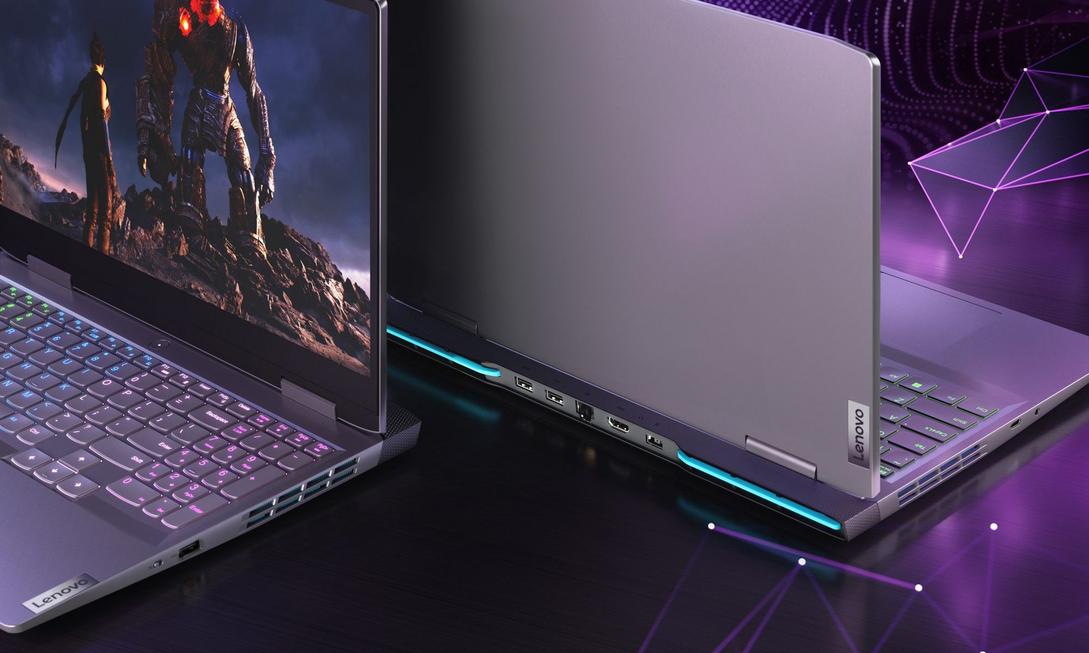
If you don’t want to switch devices between running calculus simulations and weekend gaming, the Lenovo LOQ 15 is that “all-purpose workhorse.” Equipped with an RTX 5060 graphics card, it can easily handle CUDA machine learning projects or a weekend battle session, and its price is much more affordable than competitors in the same class.
- Core Advantages: Powerful performance, best value-for-money in its class of graphics cards, runs VMs and Containers smoothly.
- Use Cases: Ideal for students who need one machine to handle all heavy tasks.
- Notes: Weighs about 2.4 kg, battery life around 2.5-3.5 hours. Remember to carry the charger to class and practice the art of “finding” outlets in the classroom.
The Perfect Partner for Classrooms and Libraries: Lenovo Yoga 7i 2-in-1
If you’re not an early bird and often can’t find an outlet for your 9 AM class, the AI performance optimization and ultra-long battery life of the Lenovo Yoga 7i 2-in-1 is your savior. Core Ultra 5 paired with 16GB RAM handles compilers and long reports effortlessly, and the keyboard feel is sufficient for long Coding marathons.
- Scenarios: Suitable for students who need frequent movement, heavy document work, and moderate coding.
- Notes: Integrated graphics not suitable for heavy gaming; although lightweight, carrying it around campus for long periods can still be a burden.
The Last Line of Defense for Apple Fans: MacBook Air (13-inch, M5, 2026)
Seniors often say: “I never thought the company-provided laptop would be better than the MacBook Air.” The 16-hour battery life, 2.7-pound lightweight body, and quiet fanless design brought by the M5 chip are truly irresistible. The M5 GPU can even handle a light play of Resident Evil 4, letting you relax after class.
- Key Reminder: Memory is soldered! The configuration you buy in freshman year is what you’ll have in senior year. Strongly recommend going for 16GB directly, don’t let your future self regret it. If budget is tight, hand game tasks over to a console.
The Last Bastion for Hardcore Players: Framework Laptop 13
In an era where RAM can only be bought, not upgraded, the modular design of the Framework Laptop 13 is a breath of fresh air for CS students. It comes with a screwdriver, so you can upgrade from 16GB to 32GB yourself (you’ll definitely thank this decision when running OS modules in junior year).
- Scenarios: For those who like Linux environments, value repair rights, and future upgrade flexibility.
- Notes: Battery life around 14 hours, weight only 1.3 kg, lightweight and easy to carry, but parts supply depends on Framework’s continued operation (though the community guarantees parts will eventually return).
Avoidance Guide: Skip These Models
- MacBook Neo: 8GB soldered memory + phone-grade chip, fine for writing reports but not for running VMs. With similar budget, better to buy a refurbished M3 MacBook Air.
- RTX 4050/3050 Laptops: Graphics card generations update slowly; buying a 3050 might mean getting a five-year-old relic, performance can’t keep up with the AI era.
- Razer Blade / 18-inch Desktop Beast: More expensive than a semester’s rent, feels like carrying a brick in your backpack, and compilation speed won’t be faster. Extremely low value for money.
Over four years of university, your laptop is your coding comrade and monster-slaying weapon. Whether you choose an all-out performance all-rounder or a lightweight long-battery-life powerhouse, the key is to ensure at least 16GB RAM as the starting point. Choose the right tool, don’t let lag or dead batteries become obstacles to your learning and relaxation. Now, based on your class schedule and game list, pick out that dream machine that you’ll fall in love with at first sight!
