
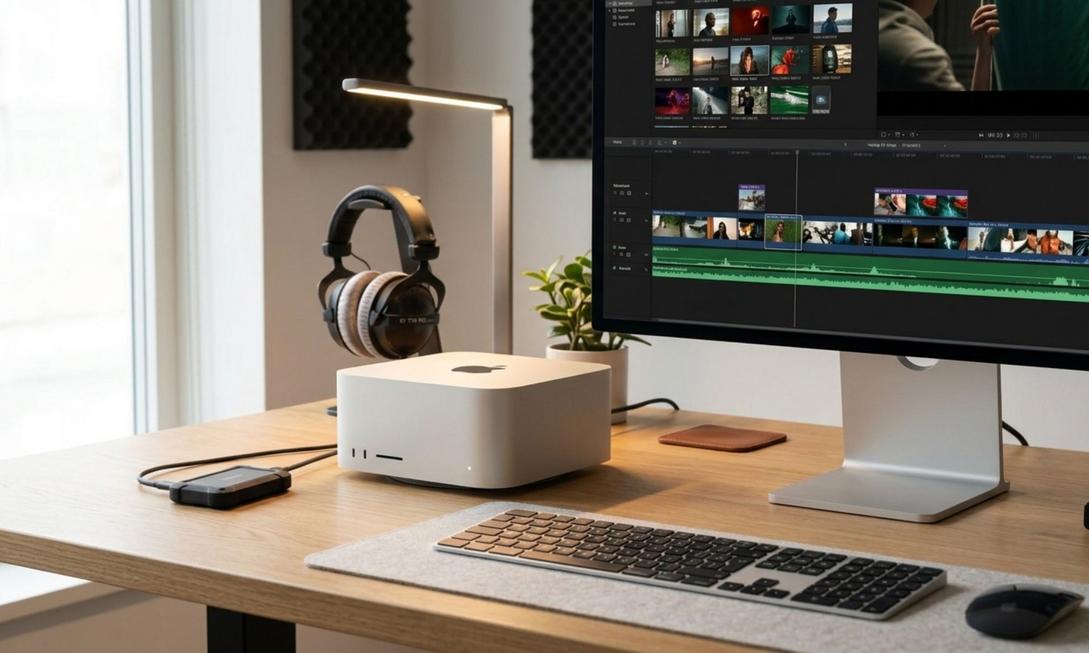
Does the editing timeline stutter as soon as you drag it? Watching the progress bar spin when exporting 4K videos—that anxiety is familiar to every editor. Facing Apple’s newly updated desktop Mac lineup, from the $899 Mac Mini M6 to the $5,499 Mac Studio M5 Ultra, the price gap may be large, but every penny corresponds to tangible efficiency gains. Stop being dazzled by core counts alone; the real keys determining your editing speed are the “Media Engines” and “Memory Bandwidth.” Today, we’ll break it down so you can pick the perfect Mac editing machine for your workflow!
The Truth Behind Lag-Free Editing: Media Engines Over Core Counts
Many assume more CPU cores mean faster performance, but in Premiere Pro or DaVinci Resolve, the hardware decoding “Media Engines” are what really matter. Apple equips different chip tiers with varying numbers of Media Engines to handle H.264, HEVC, and ProRes decoding. From one set on the M5 Pro, to two on the M5 Max, and four on the M5 Ultra, more engines dramatically shorten export times. Combined with unified memory bandwidth, the M6 Mini’s 170 GB/s handles dual-track 4K, but multi-track editing requires the M5 Max’s 614 GB/s for smooth performance.
Mac Mini Series: The Value King for Lightweight and Multi-Cam Editing
If you’re a YouTube creator or freelance editor, the Mac Mini is the budget-friendly choice:
- Mac Mini M6 ($899): The Entry-Level Savior for 1080p and Light 4K
For creators mainly handling 1080p or lightly color-graded 4K interviews, the M6 Mini is a powerful tool at just $899. It features 2.5Gb Ethernet for fast NAS access. Though maxing out at 32GB non-upgradable memory, it handles single- or dual-track projects effortlessly in Final Cut Pro—an easy starting point. - Mac Mini M5 Pro ($1,699): The Sweet Spot for Premiere Pro Multi-Cam Editing
For four-track 4K multi-cam work, the M5 Pro upgrades to two Media Engines and 307 GB/s bandwidth, and now offers a 64GB memory option. With three Thunderbolt 5 ports, it connects external RAID arrays with ease. Note that its compact chassis can lead to thermal throttling during long exports, setting it apart from the Mac Studio.
Mac Studio Series: The Ultimate Powerhouse for Heavy Color Grading and 8K RAW
When your projects involve professional color grading, VFX compositing, or 8K, the Mac Studio’s larger body and robust cooling become essential:

- Mac Studio M5 Max ($2,499): DaVinci Resolve Colorists’ Favorite
For Resolve users, the M5 Max offers the best value. Its GPU performance is 50% faster, and with a 128GB memory option, Magic Mask tracking speeds are 5.3x faster than the M1 Max. Built-in 10Gb Ethernet and PCIe Gen 6 SSD double read/write speeds, turning tedious post-production into smooth coffee-break time. - Mac Studio M5 Ultra ($5,499): The Ultimate Solution for 8K ProRes RAW
If you work with 8K ProRes RAW or heavy Redshift rendering, the M5 Ultra is the answer. With 1.2 TB/s bandwidth and four Media Engines, it supports real-time playback of 33 tracks of 8K ProRes 422. The new USB-C Genlock feature syncs cameras and iPhone 17 Pro footage directly, eliminating bottlenecks for high-spec workflows.
Editing Workstation Pitfall Guide: SSD and Memory Configuration
When building your editing setup, prioritize budget on Thunderbolt 5 external NVMe drives over Apple’s expensive internal SSD upgrades. External drives deliver comparable speeds without the premium markup. Keep at least one-third of the system drive free for macOS operations to boost stability. In Resolve, generating Optimized Media for 6K footage and enabling Render Cache can dramatically improve timeline smoothness.
From the compact Mac Mini M6 entry point to the 8K beast that is the Mac Studio M5 Ultra, Apple has clearly delineated the editor’s battlefield with precise Media Engine and memory configurations. If you’re a creator seeking performance and budget balance, the Mac Mini M5 Pro handles most 4K challenges; for heavy color grading or RAW workflows, the Mac Studio delivers lag-free timelines. Don’t let hardware limit your creativity—pick your editing steed now and turn inspiration into perfect footage instantly!
