
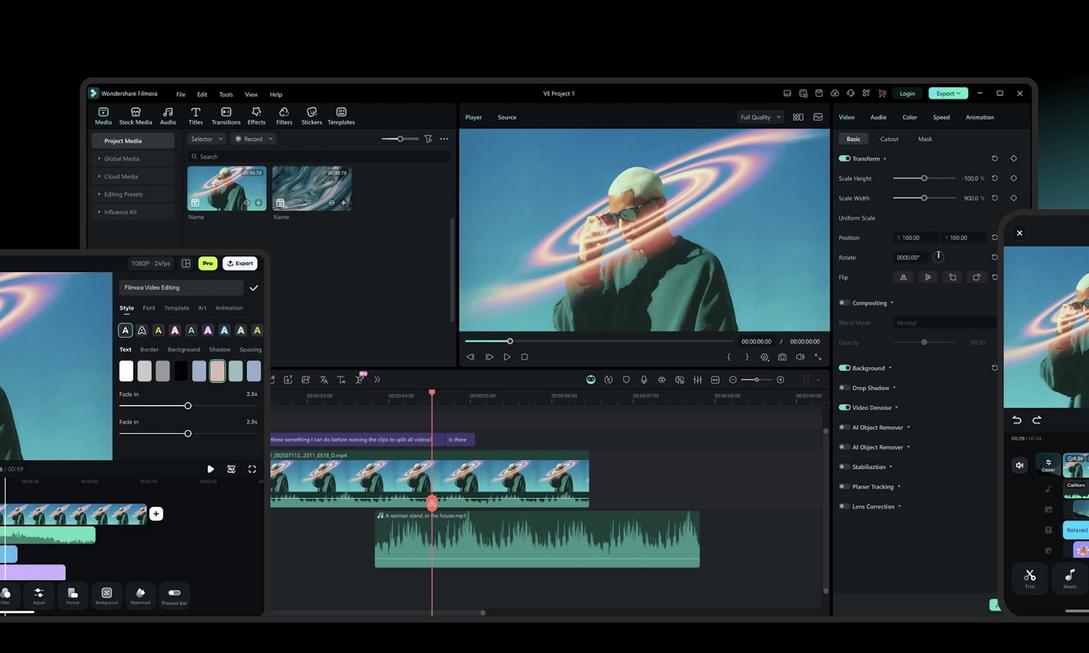
Head out on the weekend with a lightweight camera and easily fill up memory cards with memories by the end of the day. But when you drag dozens of high-quality video clips, multi-track audio, and supplementary shots into the timeline, your good mood instantly drops by half. Modern hardware has made “shooting” easier than ever, but it has also multiplied the time spent on “editing.” Facing a massive amount of footage, if you have to manually handle tedious post-production details every time, creators’ enthusiasm can easily be drained by the timeline grind. If you often feel suffocated in front of the computer, it’s time to let AI take over those repetitive tasks.
Instantly Capture Key Points from Long Interviews, Auto-Organize Audio Tracks
Dealing with hours of conversations or tutorial videos, scrubbing back and forth frame by frame on the timeline can really make your eyes glaze over. At this point, AI Text-Based Editing is a lifesaver. You just need to edit the transcript like a Word document by deleting sentences, and the video footage will automatically cut out the fluff and pauses. Paired with the Audio Ducking feature, background music intelligently detects when vocals appear and smoothly lowers the volume. Music tracks that used to take half an hour of manual keyframing now achieve broadcast-level precision in just a few seconds, allowing you to focus on content pacing rather than tedious adjustments.

Color Inconsistencies in Multi-Camera Shoots? AI Applies the Base Makeup for You
Outdoor or studio shoots often suffer from wildly different color tones across cameras and lighting conditions. Manual color correction is time-consuming and prone to color shifts due to fatigue. The built-in AI Color Palette quickly compares color characteristics across multiple clips and unifies them on a harmonious base. This not only saves time on frame-by-frame comparison but also provides a perfect starting point for further fine-tuning, giving your footage professional-grade visual consistency instantly.
One Video for All Orientations, Effects Auto-Sync with Rhythm
In this algorithm-driven era, a long-form video must simultaneously transform into vertical short-form content for TikTok, Reels, and YouTube Shorts. Manually reframing and editing each time would explode your workload. With Auto-Reframe, AI intelligently locks onto the main subject and dynamically crops the aspect ratio; even more powerful is Planar Tracking, which allows your titles, logos, or motion graphics to stably attach to moving objects or walls, as if designed during shooting. Output multi-platform versions from a single project effortlessly, making content distribution a breeze.
With the upcoming Filmora V16 release, Wondershare is refining these AI tools to better align with professional workflows, focusing on enhancing final video quality and editing efficiency. After all, cameras and microphones determine how much footage you can capture, but editing software truly decides how much of that footage can be turned into engaging works.
Conclusion
For independent YouTubers, short-form video creators, or marketing teams needing quick output, this tool has already transcended traditional editing software—it’s your productivity accelerator. Instead of wasting precious creative energy on tedious editing details, hand repetitive tasks over to AI and save your focus for the core storytelling. Upgrade your post-production workflow now, so every shutter press can effortlessly transform into a complete, high-quality piece without pressure!
