
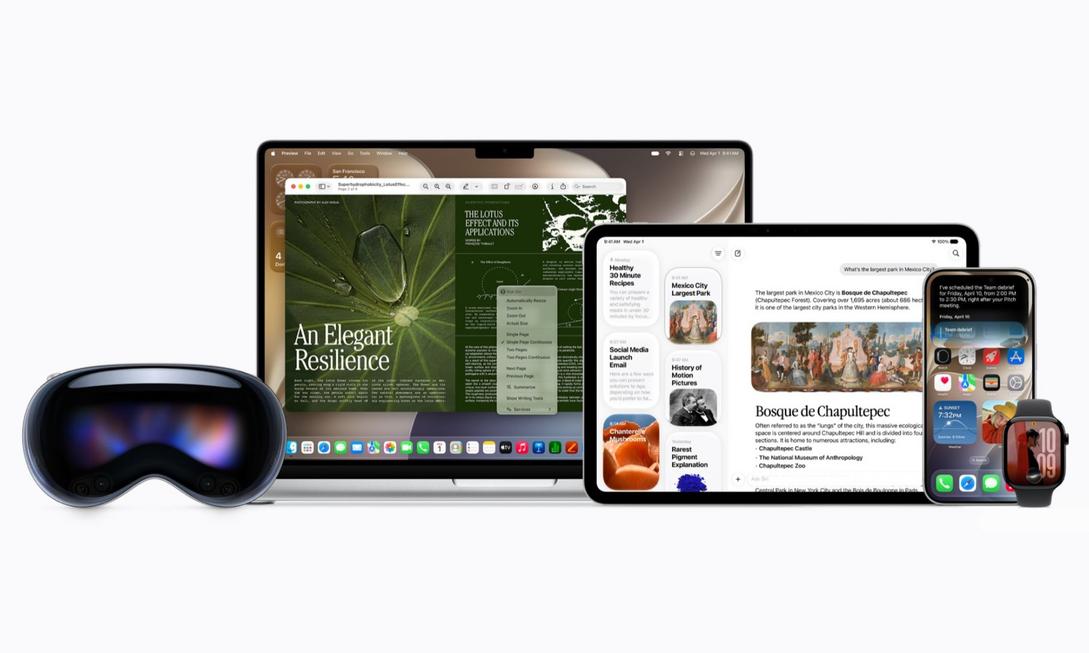
During your car commute, when you just want to ask your assistant for navigation and start a playlist, Siri often responds with irrelevant answers. This frustration is all too familiar to Apple users. Adding to that, the full-screen “liquid glass” effects from earlier made fonts blurry and hard to read. Many people stare at the settings screen, wondering: Is this system update really worth upgrading? WWDC26 this year provided the most straightforward answer.

New Siri Combined with Gemini, Transforming from a Command Machine into a Conversational Partner
Apple has finally set aside its reservations and switched the underlying architecture of the new Siri to Google Gemini. This isn’t just an improvement in benchmark scores but a leap in daily interactions. The brand-new standalone Siri app supports full conversation history retrieval. You can swipe up like using a regular chatbot to recall recipes or work inspirations you asked about last week. What’s more eye-catching is that tone, speed, and accent can all be customized and fine-tuned, making interactions less mechanical and adding a touch of everyday companionship warmth. For those accustomed to handling tedious tasks with voice, it finally “understands context and subtext.”
Interface Finally Listens! Liquid Glass Adds Opacity Slider
When iOS 26 launched, it was gorgeous but sacrificed readability. Apple has honestly addressed user feedback this time. In iOS 27 and macOS 27, the system directly includes an opacity slider. You no longer need to endure glaring reflections or overexposed frosted glass effects. With a gentle swipe of your finger, you can find the most comfortable reading contrast. Paired with the rebuilt system-level search in macOS 27, now just typing a few keywords can instantly find files hidden deep in folders, doubling the efficiency of information retrieval on the desktop.
Experience Upgrades Hidden in the Details
In addition to core AI, this update has invested resources in fixing “daily pain points”:
- iPadOS 27 Quick Optimization: App launch speed improved by up to 30%, paired with Safari’s automatic tab grouping feature, making multitasking and data organization smoother without lag.
- Screen Time Parental Control Center: Built according to pediatric association recommendations, including default social media off for under 13s, and enhanced “ask before browsing” process, making digital parenting more evidence-based.
- AirPods Custom EQ & Photo Generative AI: The long-awaited high-quality customizable equalizer finally supports manual fine-tuning of low, mid, and high frequencies; the photo album also introduces generative AI that can intelligently fill in composition edges or adjust angles, greatly lowering the barrier for light photo editing.
If you still have an iPhone 11 or newer model on hand, this upgrade is definitely one of the most worthwhile to click update on in recent years. It doesn’t pile on unrealistic futuristic features but solidly patches the AI promises from the past two years, truly returning voice assistants, interface readability, and system performance to daily life. Don’t let an outdated system continue to drag down your Apple ecosystem. Press software update now and experience the smooth rhythm of “technology finally catching up with life.”
